OpenSees, OpenFAST and VTK
Open-source solvers write their results as plain files. The Viewer reads three common kinds: OpenSees recorder output, OpenFAST runs and VTK files. All three are read inside your browser and never uploaded.
OpenSees runs
An OpenSees run is its script plus the files its recorders wrote. Put them in one .zip (or open the folder) and the Viewer pairs them up: it reads the model, the loads and each member's local axes from the script, and the results from the recorders.
- Open Two-storey RC frame, time history and modes from the Welcome window.
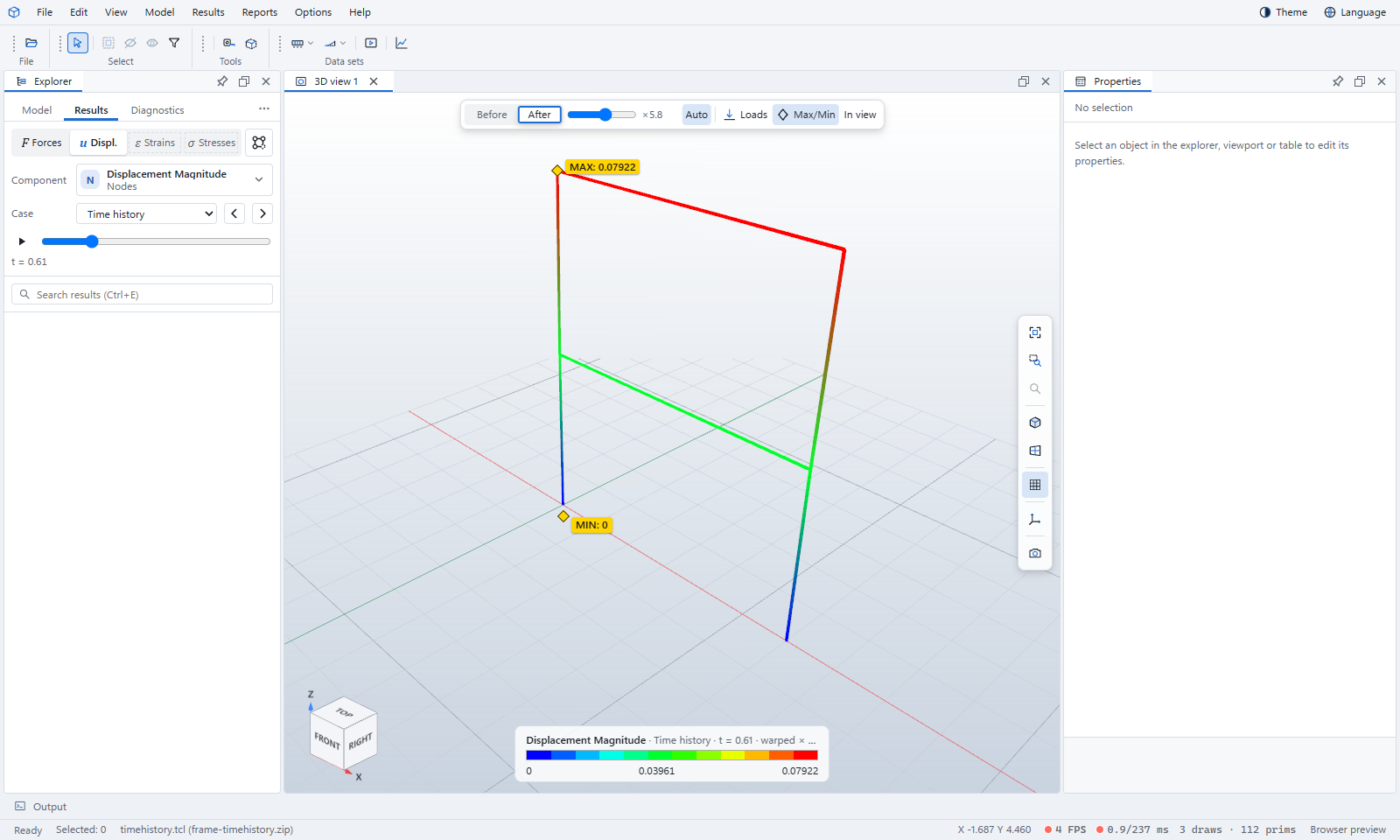
- In the Results tab, click u Displ.. Case offers the time history, each mode and the envelope.
- With Time history chosen, drag the time slider under the case, or press play to run through the record. Click After to see the frame sway.
- Click F Forces to draw member force diagrams — axial force, shear and moment — with their values, at the time shown.
Desktop app: File › Run OpenSees script… runs your own Tcl script with your OpenSees, or a Python script with OpenSeesPy, and opens the results when it finishes.
OpenFAST runs
OpenFAST writes its output channels to an .outb (binary) or .out (text) file, and, if asked, VTK meshes of the blades, tower, hub and nacelle at each output time.
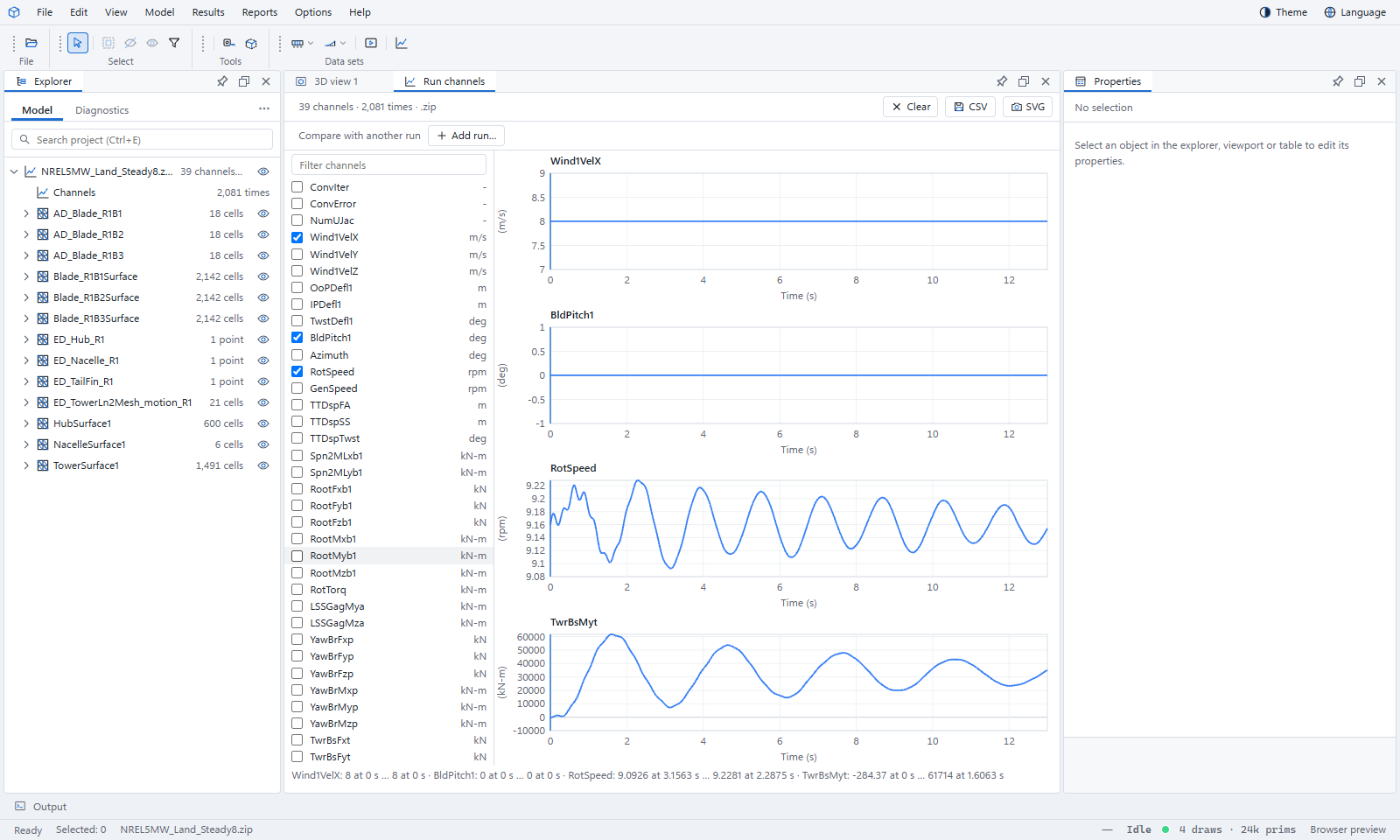
- Open NREL 5 MW land turbine, steady 8 m/s run (.zip). The run's meshes appear in the Explorer, and Run channels opens beside the 3D view.
- Tick channels in the list to plot them; type in Filter channels to find one. Channels with the same unit share a chart.
- Click a chart to move the 3D view to that time. Add run… overlays a second run for comparison; CSV and SVG save what you see.
- Switch to the 3D view 1 tab and press play to watch the turbine turn.
You can also open a single .outb or .out file to plot its channels, or an OpenFAST input deck (.fst) to browse it.
VTK and CalculiX results
Many solvers can write VTK, Elmer and FEniCS among them. The Viewer opens .vtu, .vtp and .vtk files, .pvd series of frames, and CalculiX .frd files directly.
- Open L-bracket, static (.vtu).
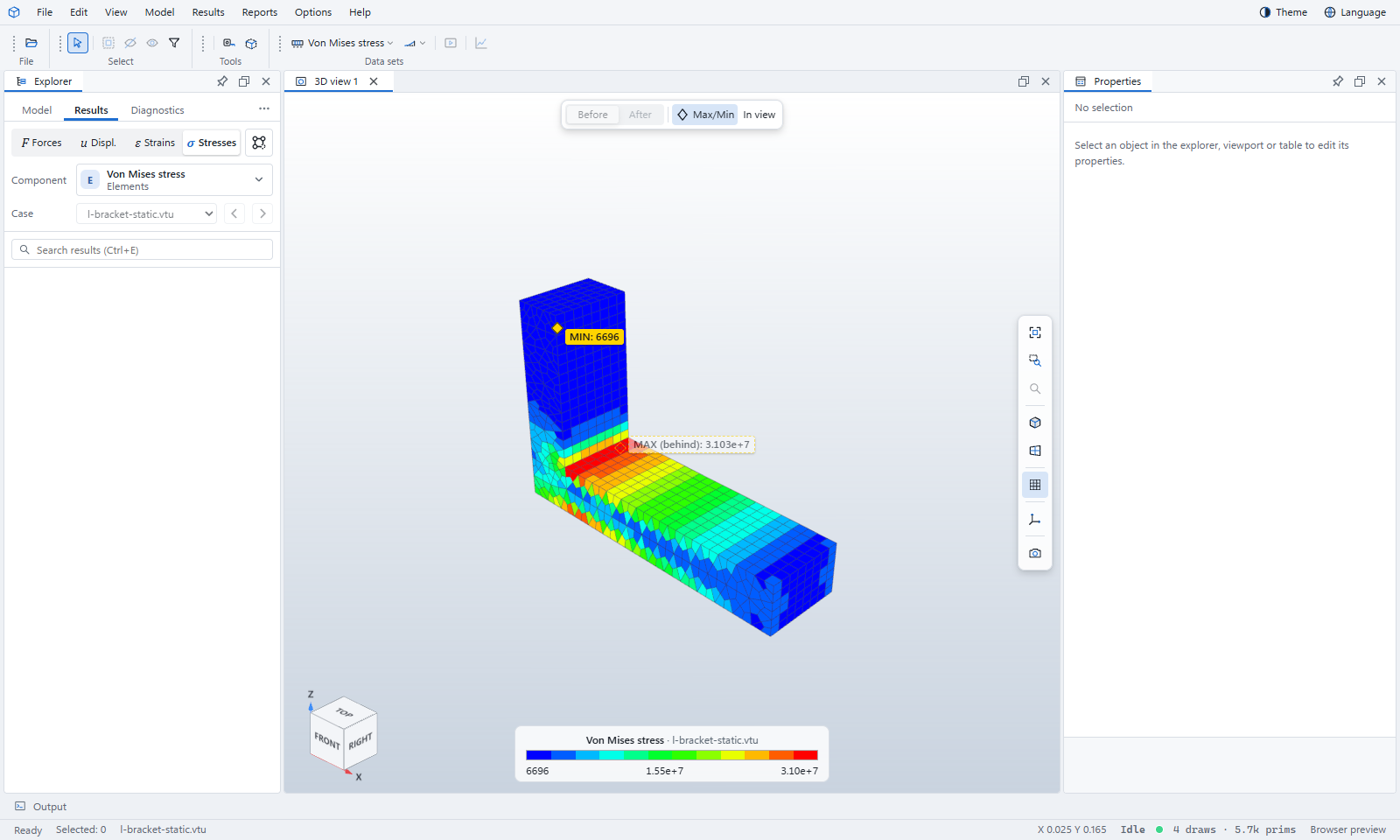
- In the Results tab, click σ Stresses. Pick another field of the file in Component.
- Choose Results › Warp by vector to deform the shape by a displacement field.
A .pvd series, or L-bracket, mode shapes (.pvd series), plays frame by frame like any other result. Several data sets can be open at once; the eye button beside each one in the Explorer shows or hides it.